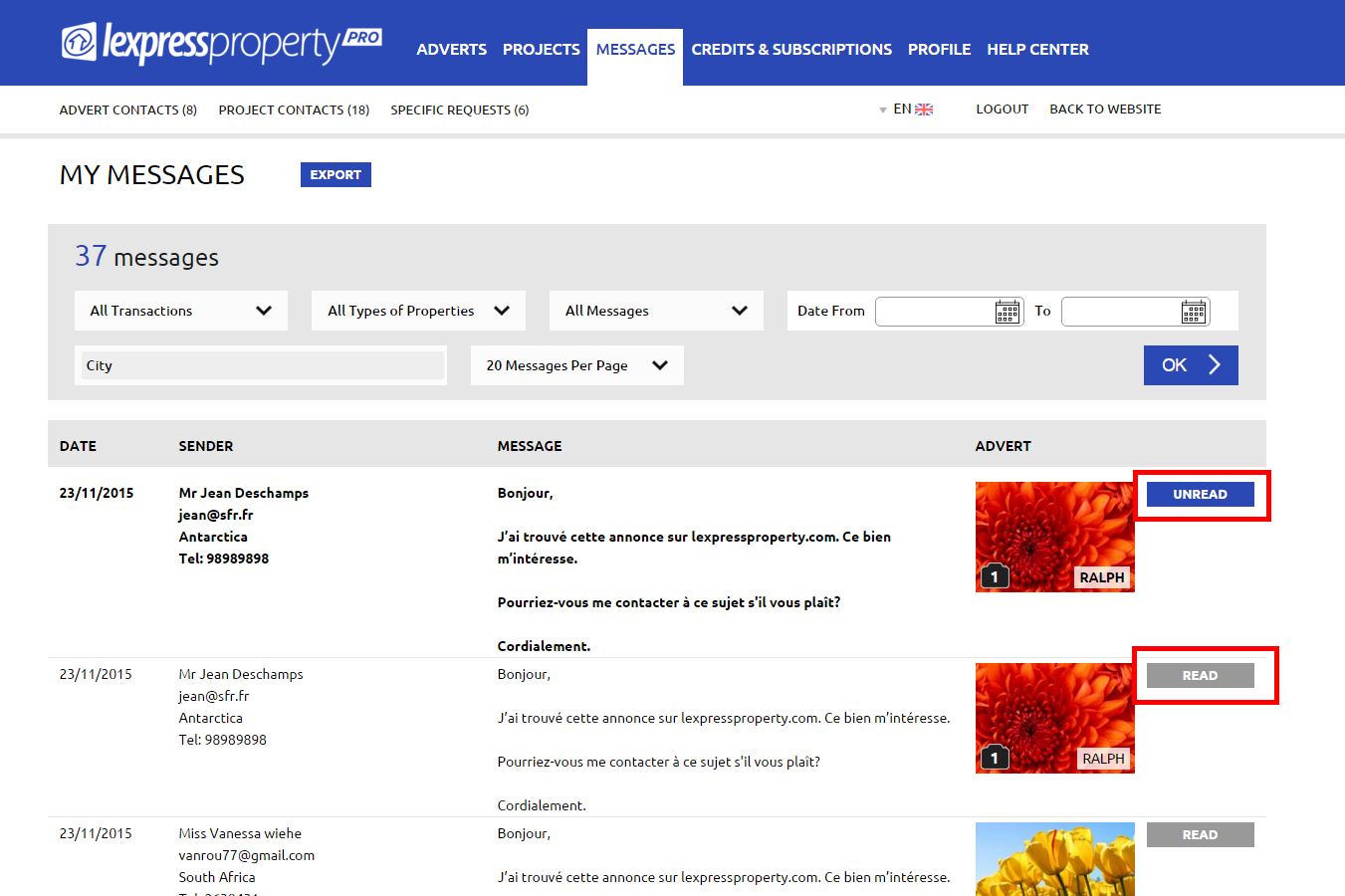

When you receive a new message concerning an advert in your message inbox, the text will be displayed in bold under the columns: Date / Sender and Message.
If you immediately answer to the client, you must click on the blue button ‘UNREAD’ on the right hand side of the image to make sure that your colleagues see that the request has been processed. In doing so, the text will no longer be displayed in bold and the button will turn on to grey with the text ‘READ’ being displayed.
If you wish to turn the message to bold once again in order to process it later on, just click on the button ‘READ’.