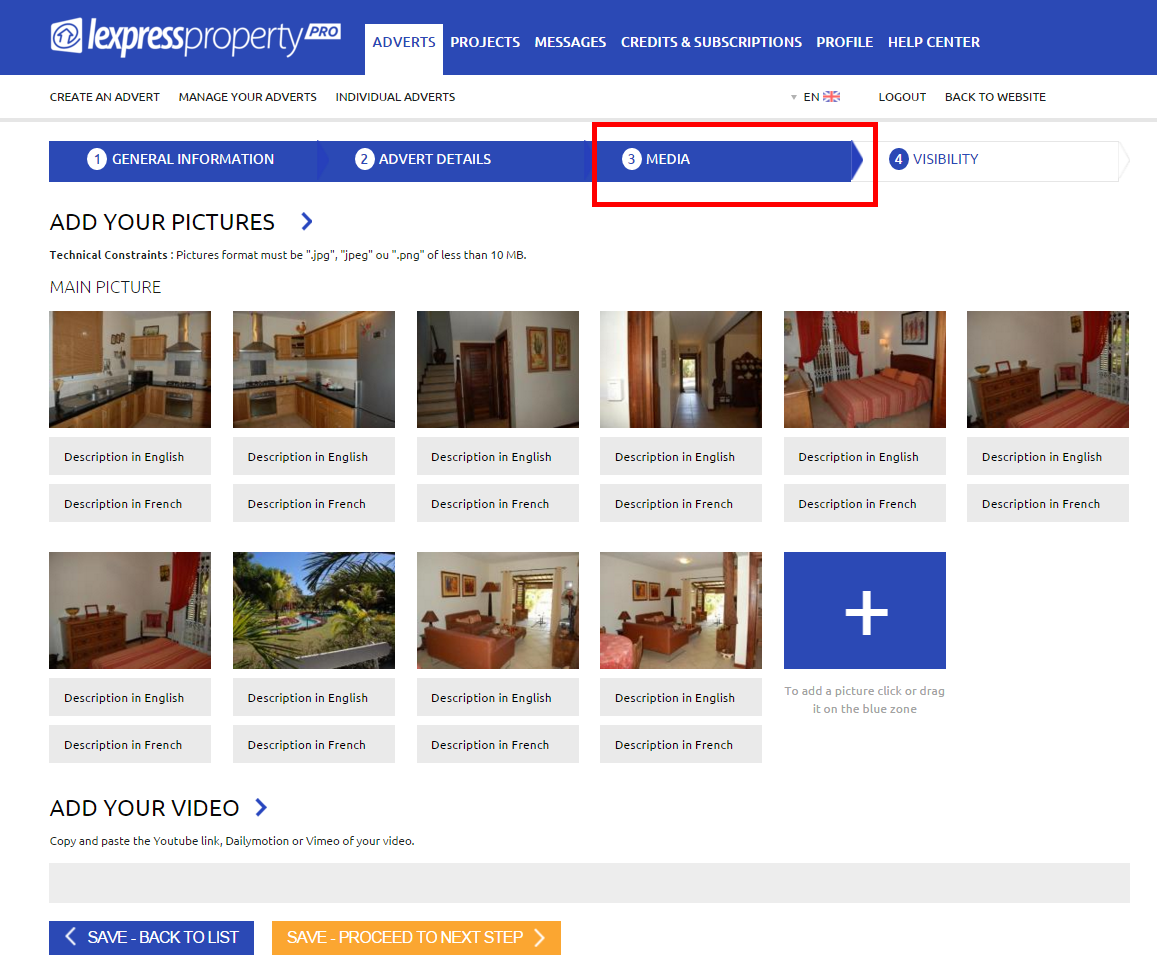

It is within thins section that you may add media in relation to your property. There are 2 sections as follows:
- Add your pictures
- Add your video
To add your pictures to your advert, click on the ‘+’ symbol located in the blue rectangle and select the pictures you wish to add to your advert. You may also drag and drop your pictures directly into your advert. (Multi-selection is also possible). After having added your pictures, you may rename our picture individually. To add a video, insert the Youtube, Dailymotion or Vimeo link of your video in the provided space.
NB: Technical Constraints : Pictures format must be ".jpg", "jpeg" ou ".png" of less than 10 MB. To proceed to the next step, click on ‘SAVE – PROCEED TO NEXT STEP’.