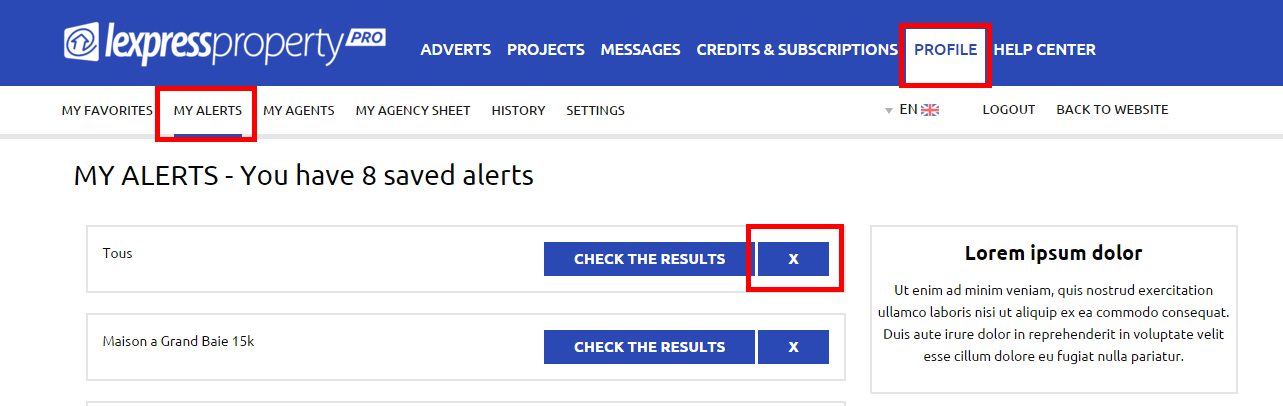

Delete my Alerts To delete your Email Alerts, you must be logged in to your account. Click on the ‘PROFILE’ Tab in the blue menu, then on ‘MY ALERTS' from the white menu. You will be able to delete your email alerts that you have created by clicking on the small cross on the right hand side of the email alert. By doing so, you will not receive these email alerts anymore.