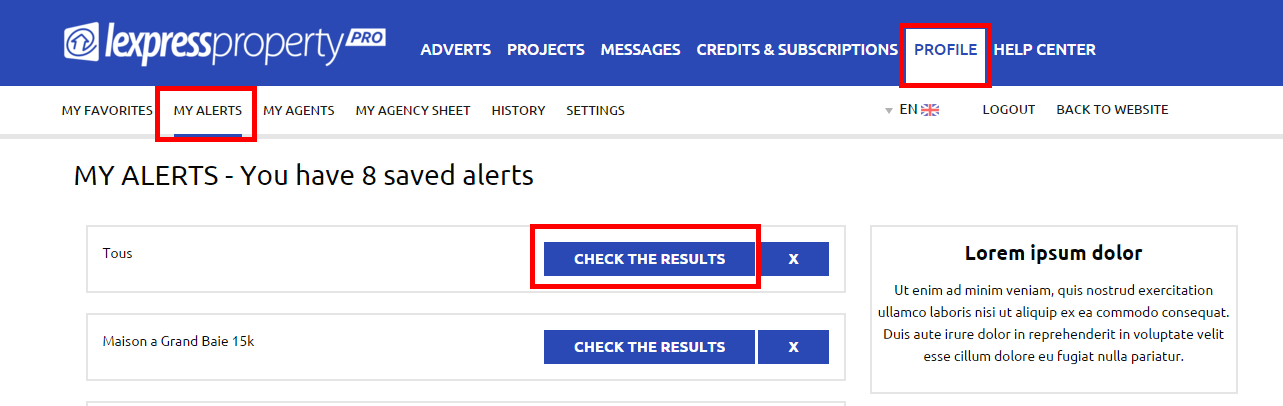

Access my alerts To access your email alerts, you must be logged in your account. Click on the ‘PROFILE’ Tab in the blue menu and then on ‘MY ALERTS’ from the white menu. All the email alerts that you have created will be listed one underneath the other. You will then be able to view your search results by clicking on ‘CHECK THE RESULTS’ where you will be directed to Results Page of this Alert. E.g. In the case you have created an Alert for houses for rental in Grand Bay, the Results Page will display only houses which are for rent in Grand Bay.