


The list of your messages will be exported in an Excel CSV file. Save your file on your computer to access it later on.
How to convert a CSV file into a XLS file? To convert a CSV file into a XLS file, you must proceed as follows:
- Open a new Excel document
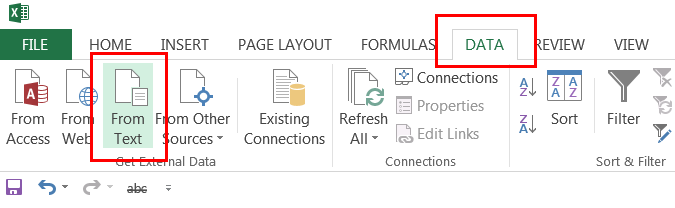
- Click on ‘DATA’ in the Top Menu
- Click on ‘From Text’
- Select your CSV document and click on ‘IMPORT’
- The ‘Text Wizard’ will be displayed on your screen and you must verify if the following options have been selected
- Delimited – Characters such as commas or tabs separate each field
- File origin = 65001 : Unicode (UTF-8)
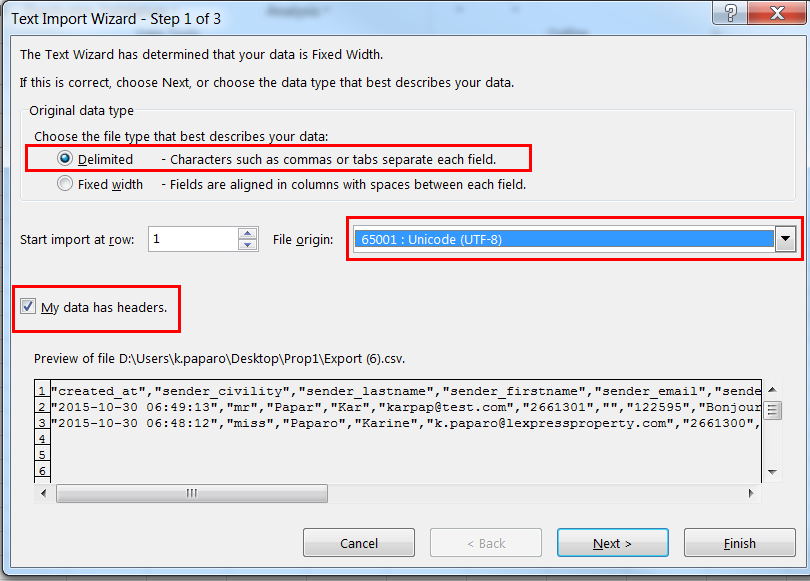
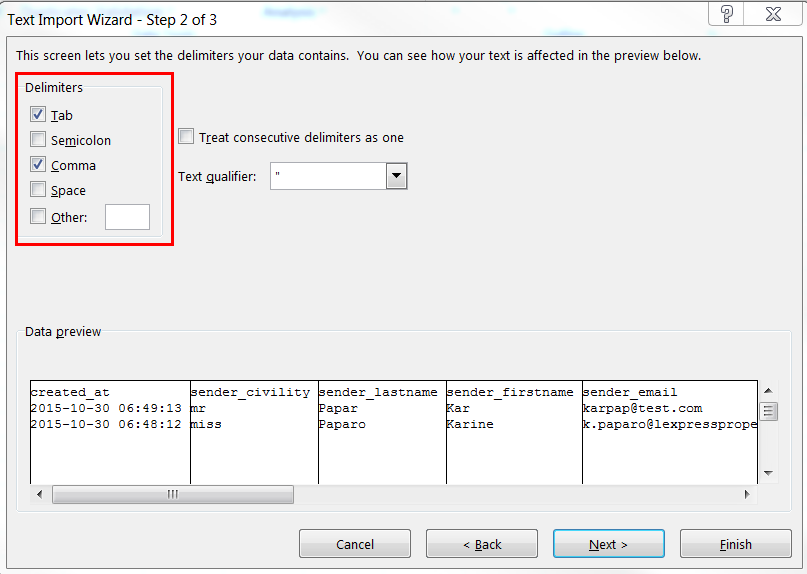
Click on ‘Next’ to proceed to the next step In the next window, verify that ‘Tab’ and ‘Comma’ have been selected, and then click on ‘Next’.
In the next window, verify that ‘General’ has been selected and then click on ‘Finish’. Your document has been converted successfully and can now be saved.