
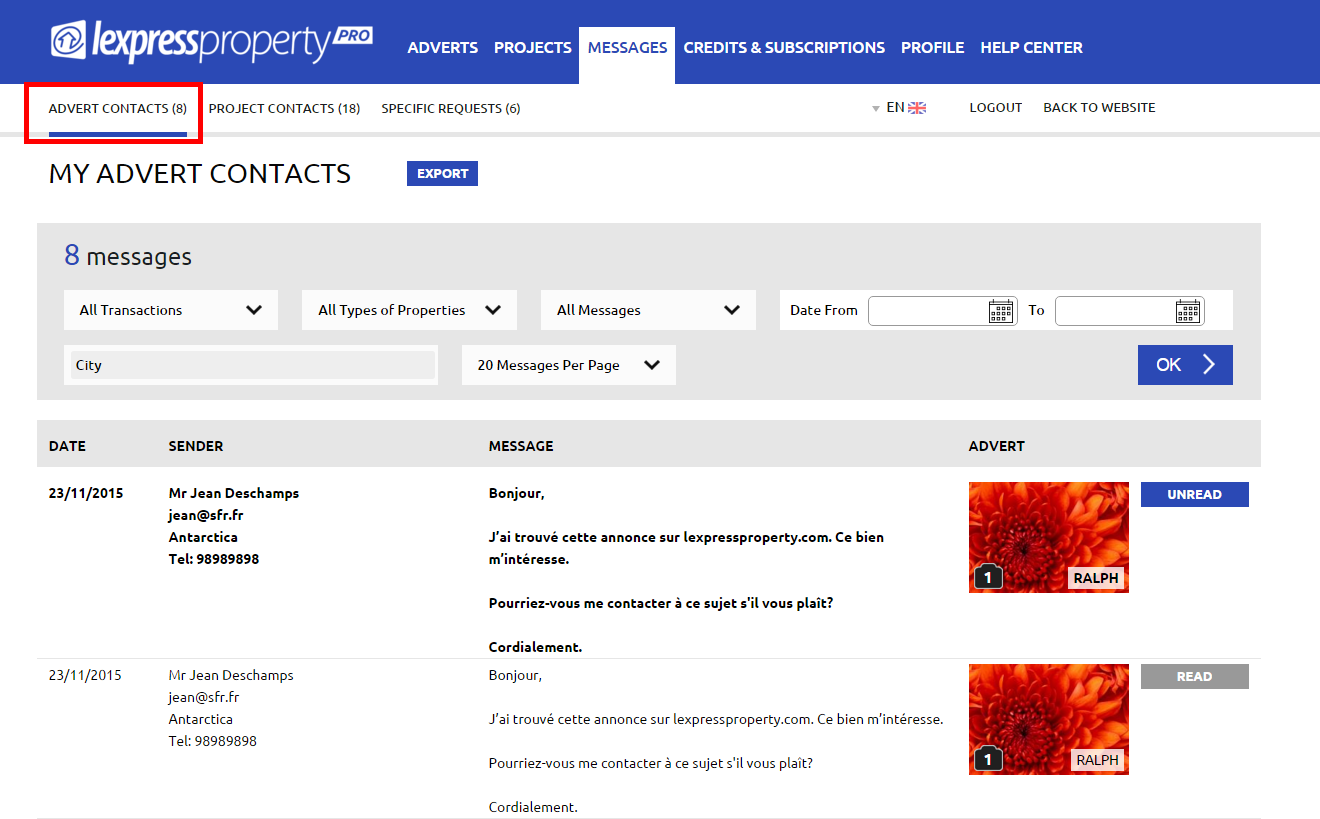
The ‘ADVERTS CONTACTS’ page enables you to view all contacts received for your property adverts.
A filter is available at the top of the page to help you filter your messages. You may filter by:
- Type of Transaction (All transactions / To Sell / To Rent / For Holidays);
- Type of Property (All types of properties / Residential / Lands / Offices & Commercial Spaces)
- Date (from xx to xx)
- City
- Number of messages per page (10/20/50 or 100).
- Date
- Sender
- Message
- Advert
- Type of Transaction (All transactions / To Sell / To Rent / For Holidays);
- Type of Property (All types of properties / Residential / Lands / Offices & Commercial Spaces)
- Date (from xx to xx)
- City
- Number of messages per page (10/20/50 or 100).
- Date
- Sender
- Message
- Advert
- Type of Transaction (All transactions / To Sell / To Rent / For Holidays);
- Type of Property (All types of properties / Residential / Lands / Offices & Commercial Spaces)
- Date (from xx to xx)
- City
- Number of messages per page (10/20/50 or 100)
- Date
- Sender
- Message
- Advert
Your messages will be displayed on the screen one underneath the other with the following information:
When you receive a new message concerning an advert in your message inbox, the text will be displayed in bold under the columns: Date / Sender and Message.
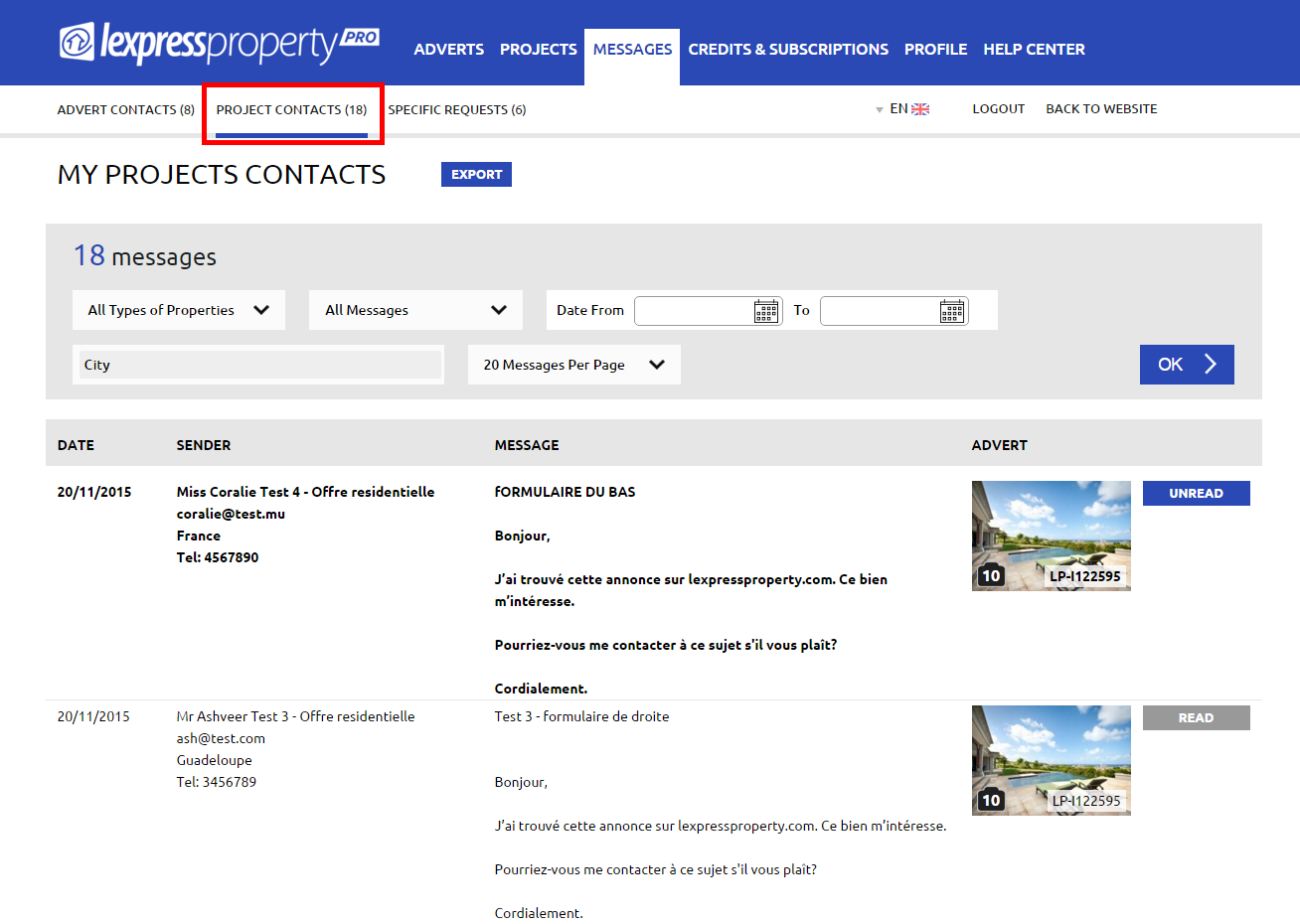
2. PROJECTS CONTACTS The ‘PROJECTS CONTACTS’ page enables you to view all contacts received regarding your projects and residential offers (property adverts) related to the projects.
A filter is available at the top of the page to help you filter your messages. You may filter by:
Your messages will be displayed on the screen one underneath the other with the following information:
When you receive a new message concerning an advert in your message inbox, the text will be displayed in bold under the columns: Date / Sender and Message.
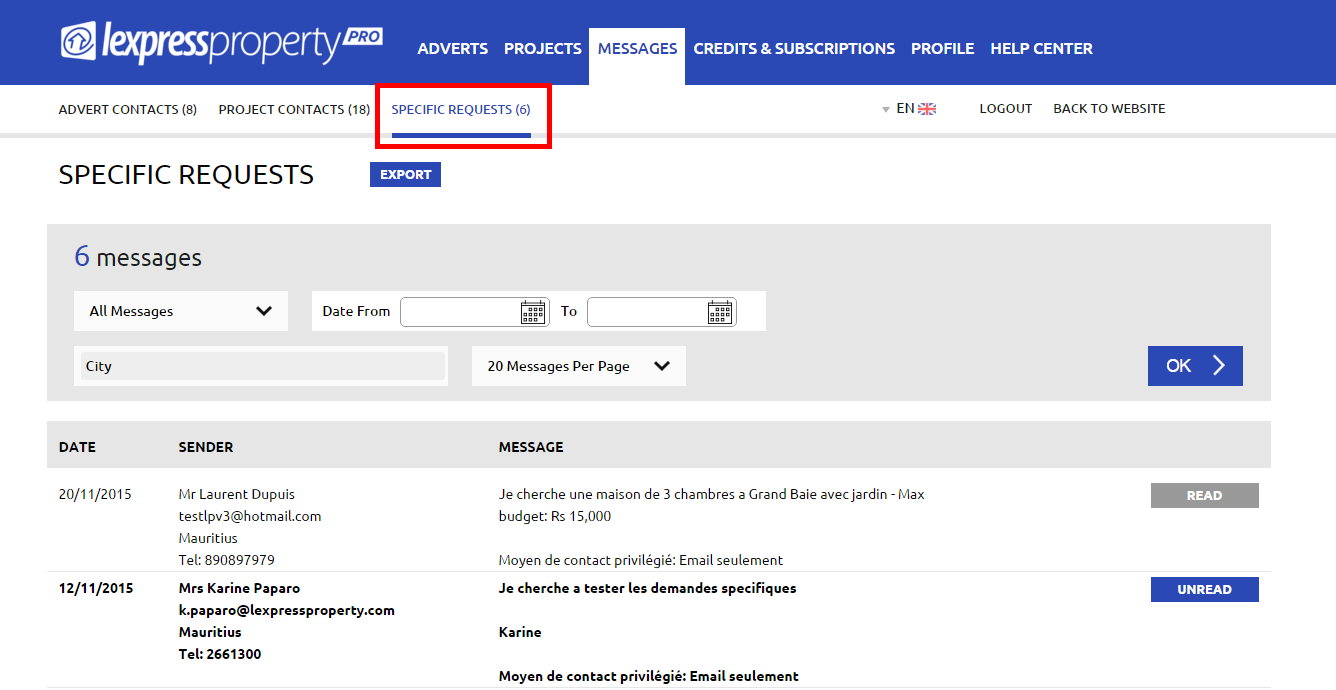
3. SPECIFIC REQUESTS The ‘SPECIFIC REQUESTS’ page enables you to view all specific requests sent by users.
A filter is available at the top of the page to help you filter your messages. You may filter by:
Your messages will be displayed on the screen one underneath the other with the following information:
When you receive a new message concerning an advert in your message inbox, the text will be displayed in bold under the columns: Date / Sender and Message.