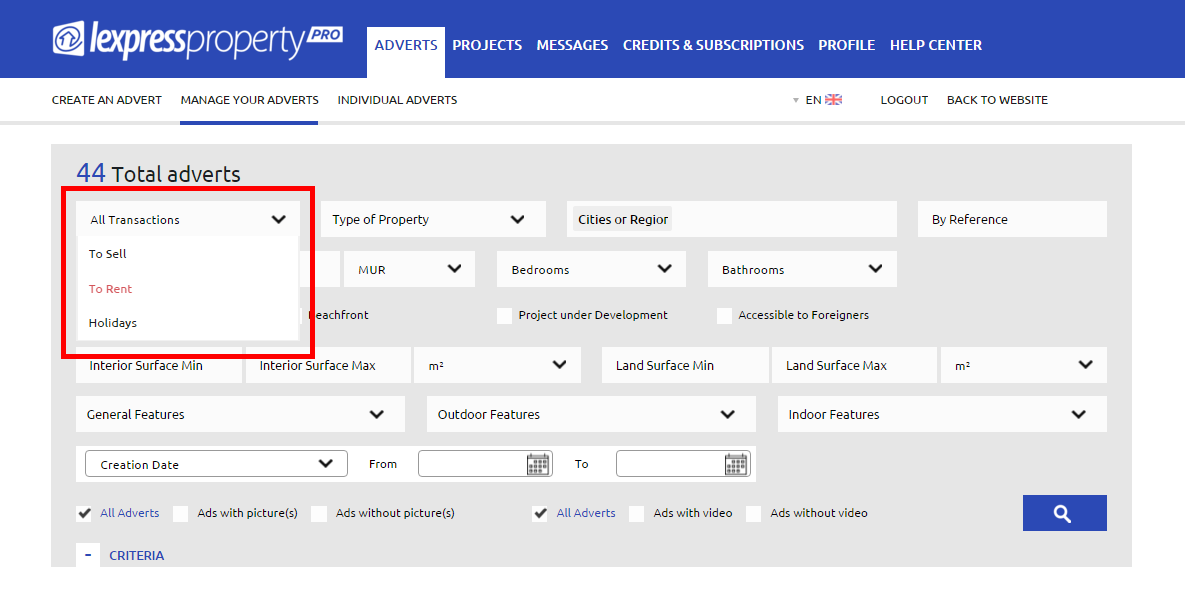


You may perform a Search by Transaction (To Sell, To Rent, Holidays) from the Search Block in the ‘ADVERTS’ Section within your Professional Area (Back Office). To search among your adverts (To Sell, To Rent, Holidays), you must make use of the filter. Example: If you select ‘To Sell’ from the drop-down menu, the results listing displayed on your screen will feature adverts for properties for sale only. The same applies for the ‘TO RENT’ and ‘HOLIDAYS’ filters.